Welcome, Commander.
BattleLab is the self-hosted command deck for your AI coding agents. Claude Code, Codex, opencode, Gemini, Antigravity and Kimi Code report to one deck. HQ briefs you on what needs you, sessions hold their ground through every reboot, and Missions BETA take an objective and run it. You give the orders — from a desk or from your phone.

▸ curl -fsSL https://battlelabos.com/install.sh | AGENT_SESSIONS_REMOTE=stream bash
THEN // OPEN /CONNECT + ENTER NAME & KEY — E2E ENCRYPTED, 4-HOUR SESSIONS, NO ACCOUNT
▸ curl -fsSL https://battlelabos.com/install.sh | sh
Your arsenal
WHAT THE DECK DOESHQ — your General on the line
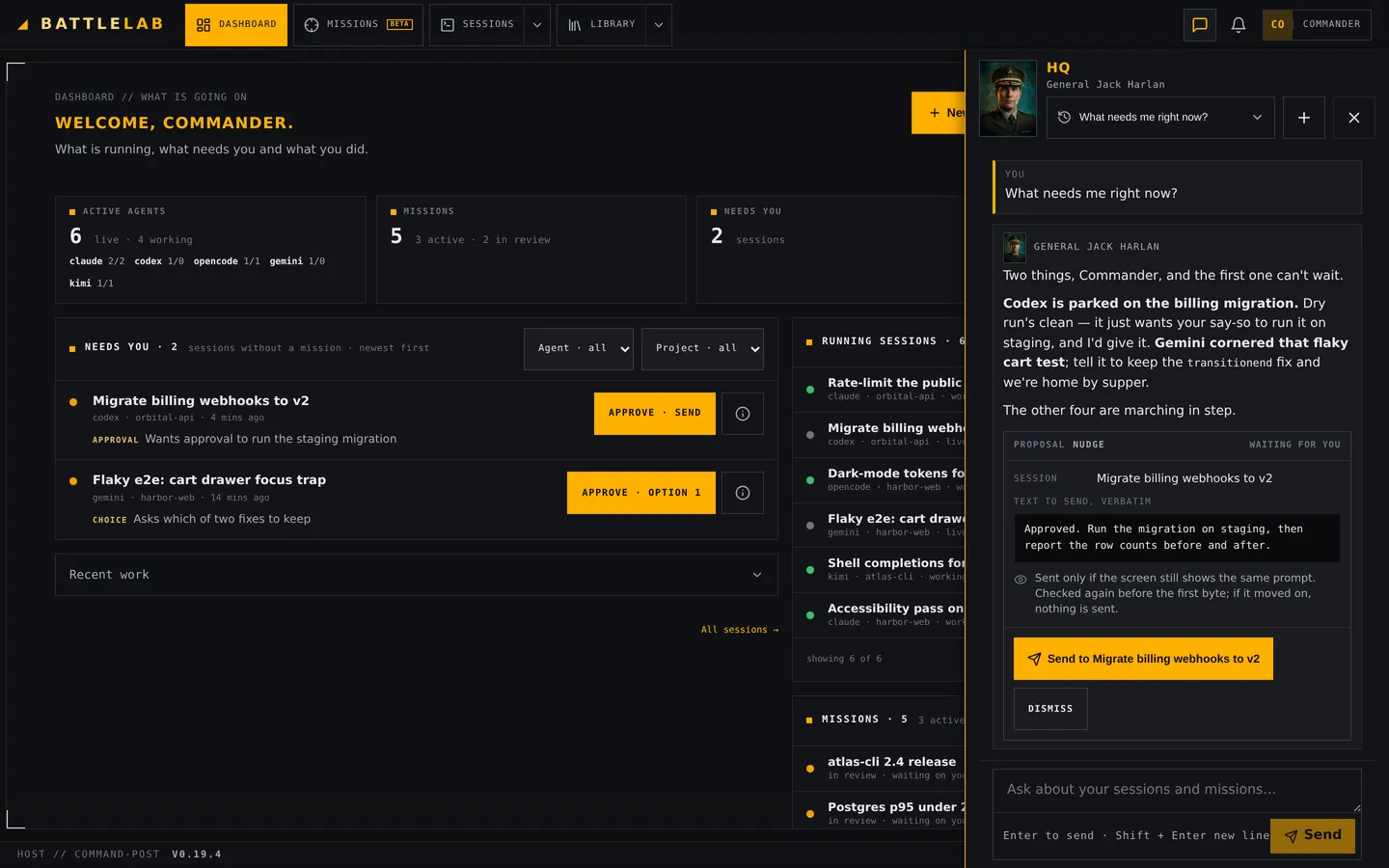
NEWOne front door for the whole operation. Ask HQ what needs you, have it start or nudge sessions, and follow up on what it started. Your primary contact — one of thirteen Generals, or a new face every day — briefs you in their own voice, on the dashboard and at the top of HQ. Runs on your own AI endpoint.
The dashboard
Your start page greets you with the sitrep: what needs you, what's running, your missions, recent work, and how much quota each agent has left before the reset.
Six agents, one deck
Claude Code, Codex, opencode, Gemini, Antigravity and Kimi Code — each in persistent terminal sessions that outlive tabs, reboots and deploys. Claude, Codex and opencode also run as API sessions, with a structured view, approvals and a message queue.
Missions
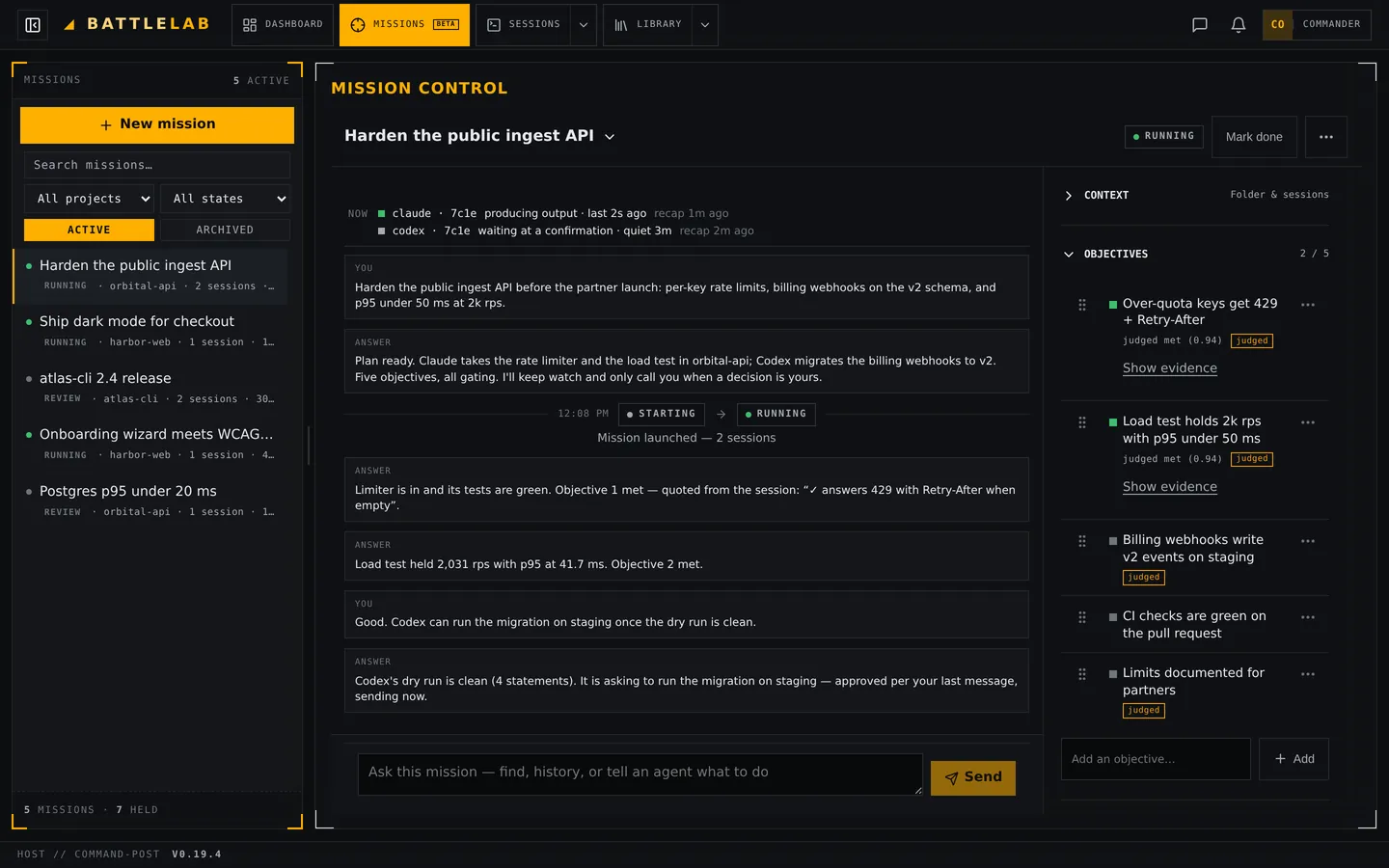
BETAState the objective. Mission control proposes a plan — a project, an agent and the objectives that define done — runs it on your go, settles each objective on evidence and asks when it is unsure. Still settling: expect changes.
Your AI, local or hosted
Bring any OpenAI-compatible endpoint — Ollama, LM Studio, llama.cpp, vLLM or a hosted API. It powers HQ, session reviews, auto-sort and Missions. What those features send goes only there: a local model keeps it on your machine, a hosted API receives it. Your coding agents still talk to their own providers, as they always do.
The Library
Playbooks, prompt templates, variables, project memory, automations and skills: how your work gets done, reusable from every session and mission.
Files & git
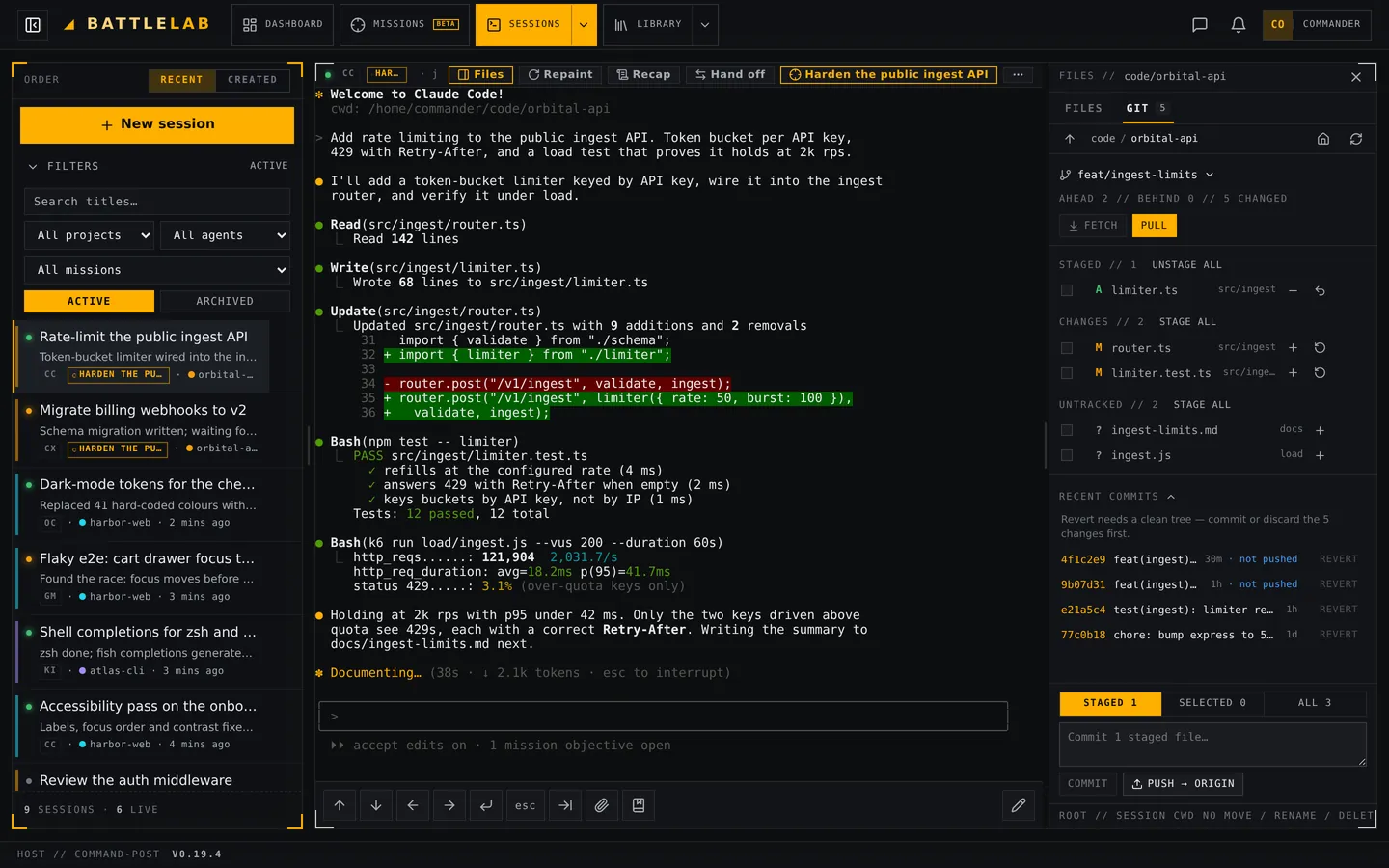
Every session has a Files panel and a Git tab: upload, edit in place, diff, stage, commit and push. A save never overwrites what the agent wrote meanwhile.
Tactical map
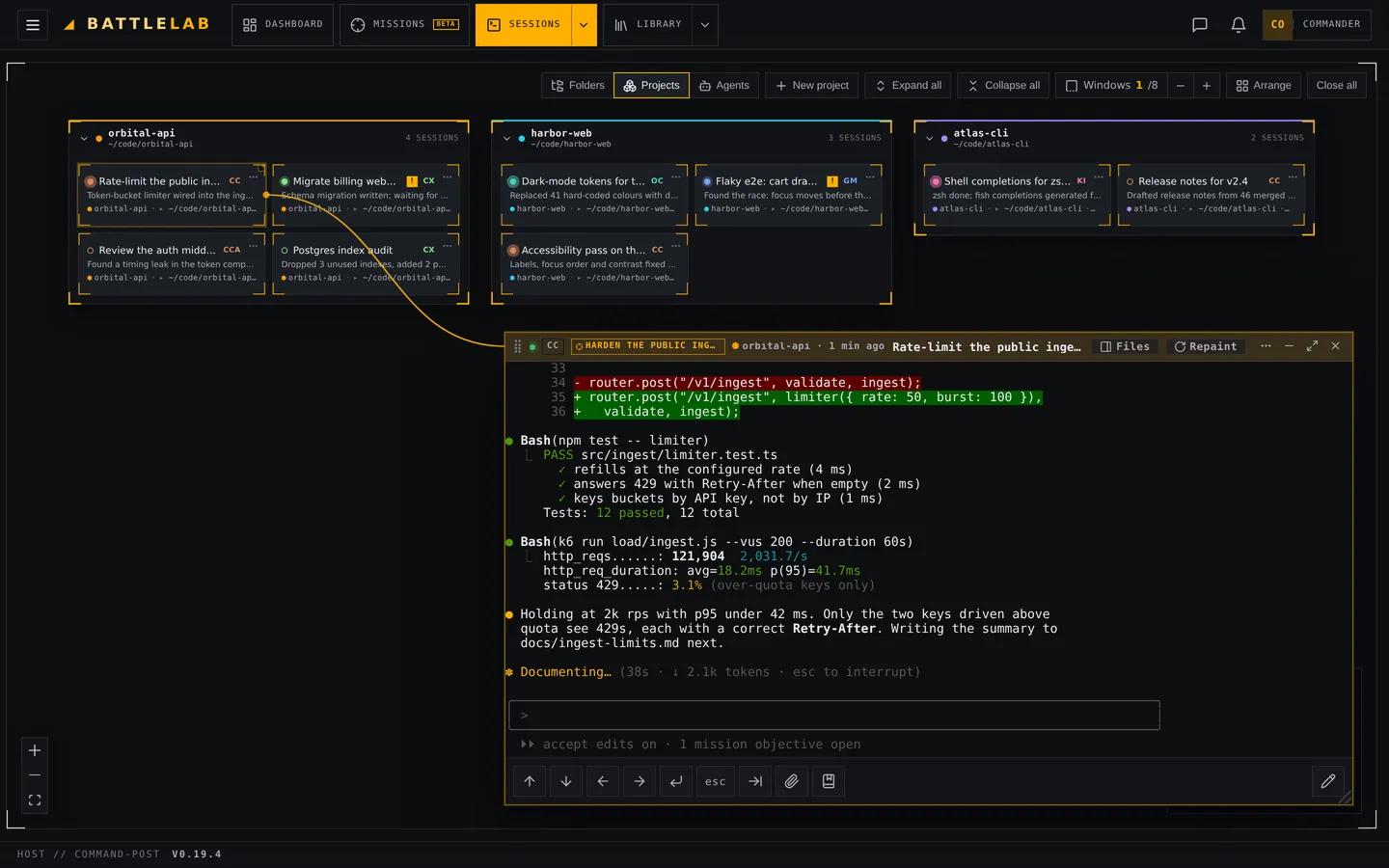
A live flowchart of every session, grouped into projects. Open several agents side by side; AI auto-sort files new sessions where they belong.
Command from your phone
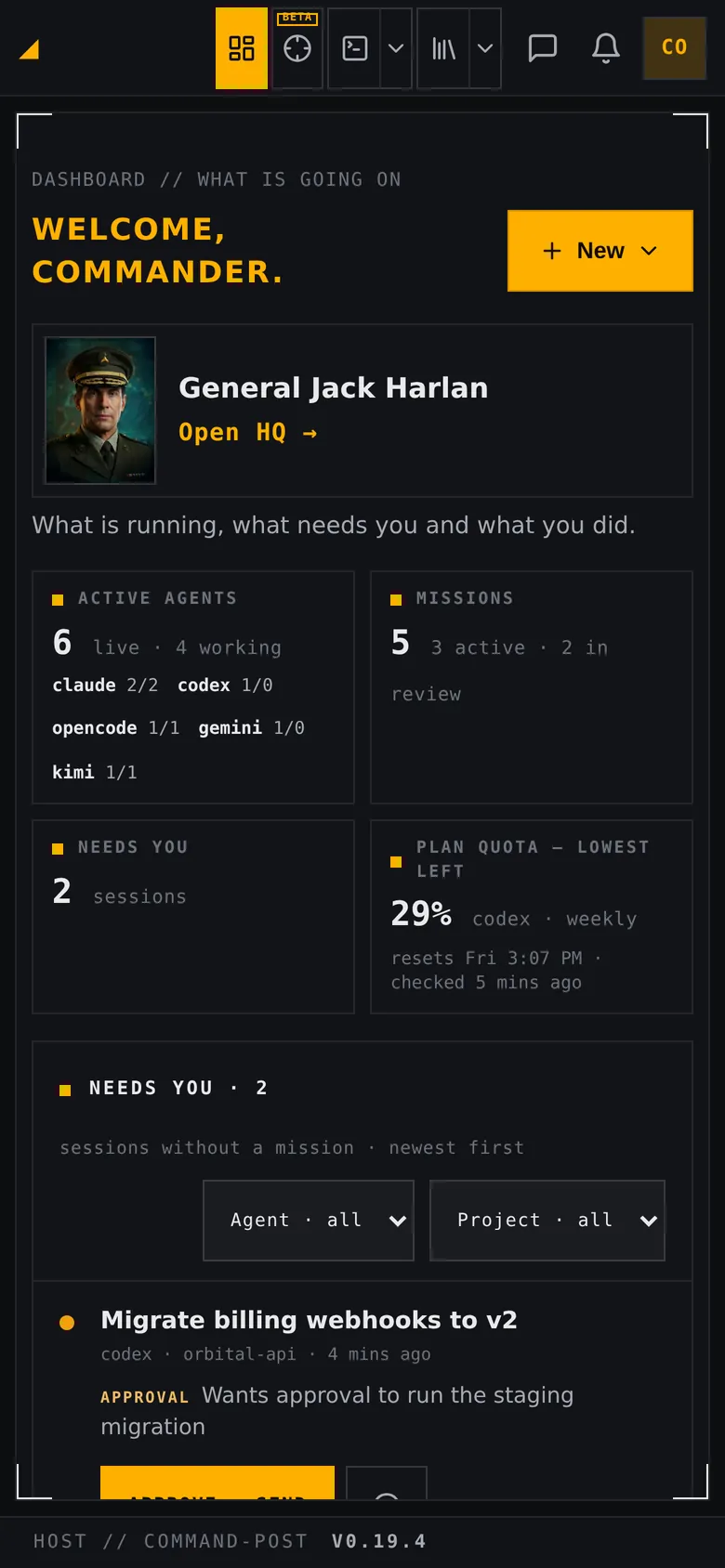
A mobile-first terminal with a real compose bar, control keys, dictation and image paste, push notifications when an agent needs you, and QR sign-in for new devices.
Recon
THE DECK, AS IT RUNS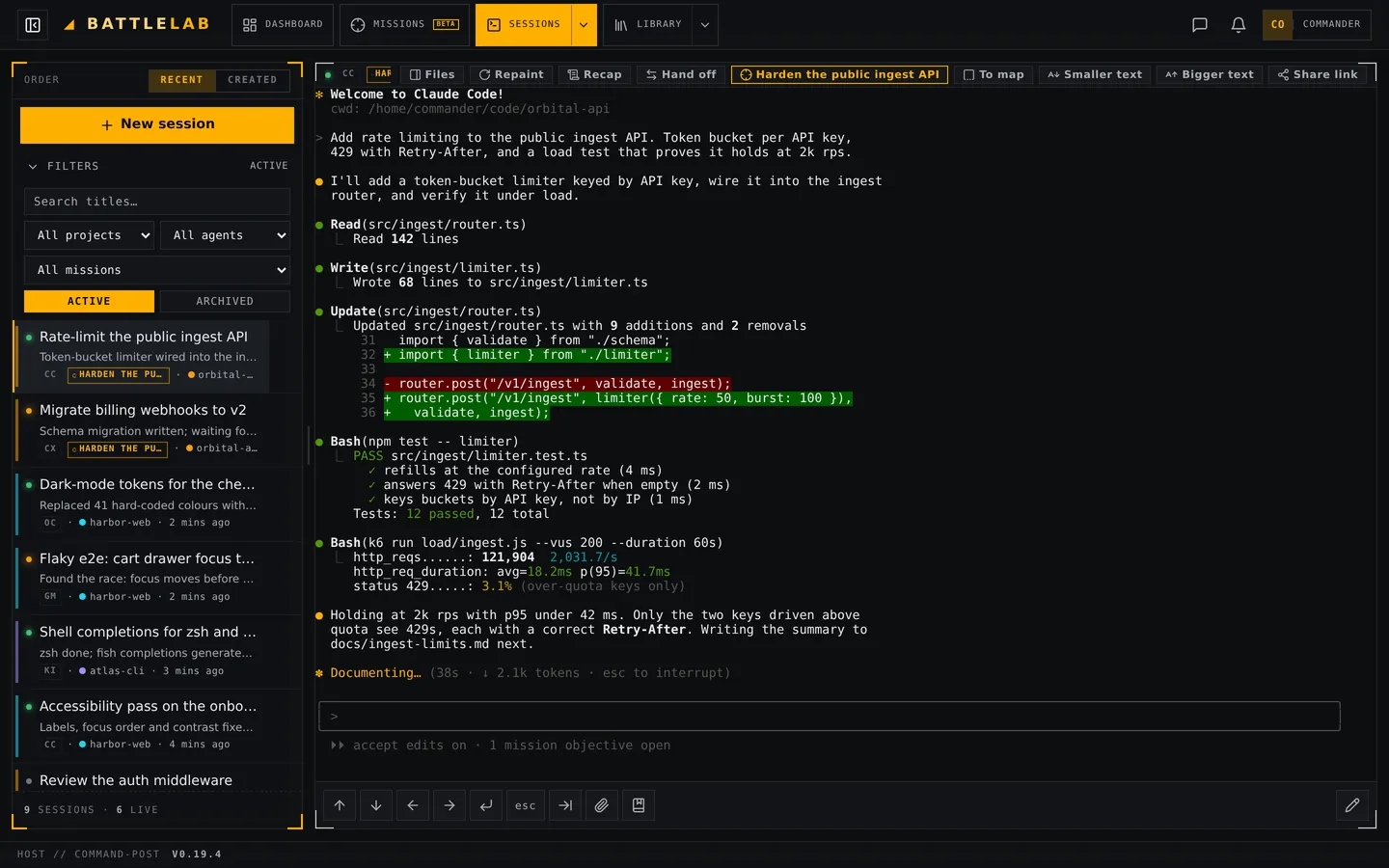
Deployment
PICK YOUR POSITION- The full deck: six agents, HQ, Missions (beta), map, Library
- Unlimited sessions, unlimited duration
- One-line rootless install, atomic upgrades
- BattleLab keeps your sessions and code on your machine; your agents reach their own providers, and HQ uses the endpoint you choose
- Everything in Self Host — it's the default install
- Reach your deck from any browser via Connect
- End-to-end encrypted — the relay sees only ciphertext
- 4-hour streaming sessions, instant reconnect
- No signup, no email, nothing stored
- Your own BattleLab instance, hosted by us
- Zero hardware, zero setup — sign in and command
- Isolated environment per tenant
- Always on, always reachable
Home Free
COMMAND FROM ANYWHEREThe default install opts you in: your box dials out to our blind relay — no reverse proxy, no open port, no domain. Open the Connect page from any browser, enter the console name and access key the installer printed, and your whole deck streams to you. Free, no account, sessions run up to 4 hours with instant reconnect.
The relay is blind
A dumb bridge that forwards only ciphertext and a console name you choose — never your keystrokes, output or files.
End-to-end encrypted
X25519 keyed by your access key, then AES-256-GCM. The keys live at the two ends, never on the relay.
Your key = full control
Generated on your box and never sent to us in the clear. It grants full control of the machine — keep it secret; we will never ask for it.
Briefing
FREQUENTLY ASKEDWhat is BattleLab?
BattleLab (the agent-sessions project) is a self-hosted, mobile-first command deck for AI coding agents — Claude Code, Codex, opencode, Gemini, Antigravity and Kimi Code. You are the Commander: every agent runs in its own persistent session, HQ briefs you on what needs you, and Missions (beta) take an objective and run it.
What is HQ, and who is the General?
HQ is the deck's front door: ask it what needs you, have it start or nudge sessions, and follow up on what it started. Its answers come from your primary contact — one of thirteen fictional Generals you pick in setup or Settings (or a new one every day, or none at all). HQ runs on the AI endpoint you configure.
Can I use a local AI model?
Yes. HQ, session reviews, auto-sort and Missions use one OpenAI-compatible endpoint you choose — a local server such as Ollama, LM Studio, llama.cpp or vLLM, or a hosted API. Setup prefills the address for the local servers. What those features send goes only to the endpoint you pick: a local model keeps it on your machine, a hosted API receives it. This does not change your coding agents — Claude Code, Codex and the rest reach their own providers as they do outside BattleLab. The key is stored on your box and only ever sent to the host it was saved for.
What are Missions, and why beta?
A mission is an objective that plans and runs itself: mission control proposes a project, an agent and the objectives that define done, starts the agent when you say go, settles each objective on evidence, and asks when it is unsure. It is marked beta because it is still settling — expect it to change between releases.
Which AI coding agents does it support?
Six: Claude Code, Codex, opencode, Gemini, Antigravity and Kimi Code, in terminal sessions — and Claude, Codex and opencode also as API sessions with a structured view, approvals and a message queue. Each appears in one sidebar, grouped by project, with per-agent badges and filters.
Can I see and change the files a session touched?
Yes. Every session has a Files panel rooted at its working directory and a Git tab with the branch, ahead/behind counts and the changed paths. Open a diff, edit a file in place, stage, commit and push — a save is bound to the version you loaded, so it never overwrites what the agent wrote meanwhile. On a phone it is a full-screen sheet.
Is it free to self-host?
Yes. BattleLab is free and open source under the GNU AGPL v3, and fully self-hosted: BattleLab stores your sessions and code on your own machine. Your coding agents reach their own providers as usual, and HQ, reviews and Missions talk only to the AI endpoint you choose — a local model keeps that part at home.
How do I install it?
One line. The default, stream-ready install: curl -fsSL https://battlelabos.com/install.sh | AGENT_SESSIONS_REMOTE=stream bash — it activates Home Free so you can reach your deck from any browser via the Connect page, no port forwarding. Prefer a pure self-host behind your own reverse proxy? Use curl -fsSL https://battlelabos.com/install.sh | sh. Both are rootless, user-level installs with atomic releases, one-step rollback and an opt-in self-updater. A short setup then walks you through security, your agents, your AI and your HQ contact.
Do sessions survive reboots and deploys?
Yes. Every terminal session runs under its own detached PTY (dtach), so you can close the tab, reboot or upgrade and reattach to the same conversation — with clean, console-style scroll-up history for every agent.
Does it work on a phone?
Yes — it is mobile-first: a touch-ready terminal with a real compose bar, control keys, dictation and image paste, push notifications when an agent needs you, and QR sign-in to add a device without retyping a password.
Is it secure to expose?
It is a single-admin tool that launches agents with permission bypass by design — guard it like SSH. Stream through our blind relay (the default) or run it behind your own reverse proxy (TLS + auth); it also has cookie + CSRF + same-origin checks and optional TOTP two-factor auth.
Can BattleLab read my streamed sessions?
No. Streaming is end-to-end encrypted between your box and your browser (X25519 keyed by your access key, then AES-256-GCM). Our relay only forwards ciphertext tagged with a console name you choose — it never sees plaintext, holds no keys, and there is no account or stored history. Sessions run up to 4 hours.
What does Pro include and when does it launch?
Pro is the managed tier — we host an isolated BattleLab environment for you, no hardware or setup needed. It is coming soon; there is nothing to buy yet. Self Host and Home Free are free today.
How do I uninstall it?
One line: curl -fsSL https://battlelabos.com/uninstall.sh | sh. It asks to confirm, then stops the service and removes the install (the ~/.local/share/agent-sessions tree, its systemd units, config and scrollback cache) — and leaves your agents' own session history (Claude / Codex / opencode / Gemini / Antigravity / Kimi) untouched.